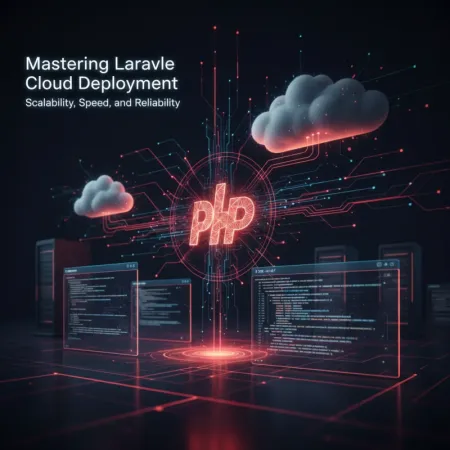

Deploying Laravel Applications to the Cloud: A Comprehensive Guide
In the modern web development landscape, deploying applications to the cloud has become the standard for achieving scalability, reliability, and cost-efficiency. For Laravel developers, understanding the nuances of cloud deployment is crucial to building robust and performant applications that can handle real-world traffic.
This tutorial will guide you through the essentials of deploying your Laravel applications to various cloud platforms, covering popular choices, Laravel-specific tools, and critical considerations.
Why Deploy Laravel to the Cloud? #
Moving your Laravel application from a local development environment or a shared hosting provider to the cloud offers numerous advantages:
- Scalability: Easily handle traffic spikes by scaling resources (CPU, RAM, storage) up or down as needed. Cloud platforms allow for horizontal scaling (adding more servers) and vertical scaling (upgrading existing servers).
- High Availability & Reliability: Distribute your application across multiple availability zones or regions to ensure it remains accessible even if one data center experiences issues.
- Managed Services: Leverage cloud-provider managed services for databases (RDS, Cloud SQL), caching (ElastiCache, Memorystore), queues (SQS, Cloud Pub/Sub), and storage (S3, Cloud Storage). This reduces operational overhead.
- Cost-Effectiveness: Pay-as-you-go models mean you only pay for the resources you consume, which can be more economical than maintaining your own on-premise infrastructure.
- Global Reach: Deploy your application closer to your users by choosing data centers in different geographical regions, reducing latency.
- DevOps & Automation: Integrate with CI/CD pipelines for automated testing, building, and deployment, speeding up your development cycle.
Popular Cloud Platforms for Laravel #
Several cloud providers offer excellent environments for hosting Laravel applications:
- Amazon Web Services (AWS): The market leader, offering a vast array of services like EC2 (Virtual Servers), RDS (Managed Databases), S3 (Object Storage), SQS (Queue Service), ElastiCache (Caching), and Lambda (Serverless Computing, used by Laravel Vapor).
- Google Cloud Platform (GCP): A strong contender with services like Compute Engine, Cloud SQL, Cloud Storage, Cloud Pub/Sub, and App Engine (PaaS).
- Microsoft Azure: Microsoft's cloud offering, providing Virtual Machines, Azure SQL Database, Azure Blob Storage, and Azure App Service.
- DigitalOcean / Vultr / Linode: Known for their simplicity and cost-effectiveness, these providers offer VPS instances (Droplets, Instances) that are easy to set up and manage, often integrated with tools like Laravel Forge.
- Heroku: A popular Platform-as-a-Service (PaaS) that offers easy deployment but can become expensive at scale.
Laravel-Specific Deployment Tools #
Laravel's ecosystem includes powerful tools designed to streamline cloud deployment:
Laravel Forge #
Laravel Forge is a server provisioning and deployment service that makes it incredibly simple to set up and manage PHP servers on various cloud providers (AWS, DigitalOcean, Linode, Vultr, Hetzner, custom VPS). Forge automates Nginx, PHP-FPM, MySQL, Redis, and Git deployment, turning raw servers into production-ready Laravel environments in minutes.
Key Features:
- One-click server provisioning.
- Automated Nginx configuration.
- Database management.
- SSL certificate provisioning (Let's Encrypt).
- Queue management (Supervisor).
- Scheduler management (Cron jobs).
- Seamless Git deployment with zero-downtime deployments.
Laravel Vapor #
Laravel Vapor is a serverless deployment platform for Laravel, powered by AWS Lambda. Vapor allows you to run your Laravel application without managing any servers. It automatically scales your application up and down based on demand, leading to significant cost savings for applications with variable traffic.
Key Features:
- True serverless deployment on AWS Lambda.
- Automatic scaling for web, queues, and CLI commands.
- Managed database and cache services.
- Zero-downtime deployments.
- Custom domain support with SSL.
- Environment management.
Key Considerations for Laravel Cloud Deployment #
When deploying your Laravel application to the cloud, keep the following in mind:
- Environment Variables: Never commit sensitive information (database credentials, API keys) to your Git repository. Use cloud platform's secret management services or Forge's environment variable management. Laravel's
.envfile is for local development. - Database: Opt for managed database services (e.g., AWS RDS, Google Cloud SQL) for better reliability, backups, and scaling capabilities. Ensure your database migrations run automatically during deployment.
- Caching: Implement robust caching using services like Redis or Memcached (e.g., AWS ElastiCache, Google Memorystore) to reduce database load and improve response times. Configure Laravel to use these drivers (
CACHE_DRIVER=redis). - Queues: For background tasks, use a reliable queue driver like Redis or SQS. Configure a process manager like Supervisor (on traditional servers) or let Vapor handle queue workers automatically.
- Storage: Store user-uploaded files and static assets on object storage services like AWS S3, DigitalOcean Spaces, or Google Cloud Storage. Configure Laravel's
config/filesystems.phpto use these drivers. - Logging: Centralize your logs using services like AWS CloudWatch, Google Cloud Logging, or third-party solutions (e.g., Sentry, Logtail) for easier debugging and monitoring.
- CI/CD (Continuous Integration/Continuous Deployment): Automate your deployment process using tools like GitHub Actions, GitLab CI, Buddy, or AWS CodePipeline. This ensures consistent and frequent deployments.
- Security: Implement security best practices: use strong passwords, enable two-factor authentication, restrict access with firewalls/security groups, keep software up-to-date, and use SSL certificates.
Practical Example: Deploying with Laravel Forge (Simplified Workflow) #
This example assumes you have a Laravel application pushed to a Git repository (e.g., GitHub) and a Laravel Forge account linked to a cloud provider (e.g., DigitalOcean).
-
Provision a Server:
- Log into Laravel Forge.
- Go to 'Servers' and click 'Create Server'.
- Select your cloud provider (e.g., DigitalOcean), region, size, and operating system (Ubuntu is recommended).
- Forge will provision and configure the server with Nginx, PHP-FPM, MySQL, Redis, Composer, etc.
-
Create a Site:
- Once the server is ready, go to its details page in Forge.
- Click 'Add Site'.
- Enter your domain (e.g.,
your-laravel-app.com). - Choose 'Git Repository' as the source.
- Enter your repository URL (e.g.,
your_github_username/your_repo_name). - Select the branch to deploy from (e.g.,
mainorproduction). - Forge will automatically clone your repository and set up Nginx.
-
Configure Environment Variables:
- In the site settings, navigate to the 'Environment' tab.
- Update
APP_ENVtoproductionandAPP_DEBUGtofalse. - Set
APP_URLto your domain (e.g.,https://your-laravel-app.com). - Configure database credentials (Forge creates a default database; update
DB_DATABASE,DB_USERNAME,DB_PASSWORD). - Add any other sensitive
APP_KEY(Forge sets this),AWS_ACCESS_KEY_ID,MAIL_PASSWORD, etc.
-
Run Migrations:
- Go to the 'App' tab within site settings.
- Scroll down to 'Deploy Script'. Forge provides a default script that typically runs
composer install,php artisan migrate --force,php artisan optimize:clear, andphp artisan view:clear. - You can also SSH into your server (
forge@SERVER_IP) and runphp artisan migrate --forcemanually.
-
Enable SSL (HTTPS):
- In site settings, go to the 'SSL' tab.
- Choose 'Let's Encrypt' and click 'Install Certificate'. Forge automates the process.
-
Set up Scheduler and Queues (if needed):
- Scheduler: On the server's details page, go to the 'Scheduler' tab. Forge automatically adds the
* * * * * php /home/forge/your-domain.com/artisan schedule:run >> /dev/null 2>&1entry for you. - Queues: On the server's details page, go to the 'Daemons' tab. Add a new daemon for your queue worker, pointing to
php artisan queue:work --tries=3 --timeout=90(adjust as needed). Forge uses Supervisor to keep it running.
- Scheduler: On the server's details page, go to the 'Scheduler' tab. Forge automatically adds the
-
Deployment:
- After making changes to your code, push them to your Git repository's deployment branch.
- In Forge, go to your site, then 'App', and click 'Deploy Now' or configure 'Quick Deploy' for automatic deployments on push.
Your Laravel application should now be live and accessible via your domain!
Conclusion #
Deploying Laravel applications to the cloud is a powerful strategy that enhances scalability, reliability, and maintainability. By leveraging robust cloud platforms and specialized tools like Laravel Forge or Laravel Vapor, you can streamline your deployment process and focus on building great features. Embrace cloud deployment to unlock the full potential of your Laravel projects.